




|
||
|
Why did my computer get reinfected with a virus?
#1
problem : Spyware / Adware / Malware / Viruses
I'm recommend AVAST! for your antivirus needs.
|
#1
problem: Malfunctioning or disabled
Anti-virus Programs updated 4-19-2013
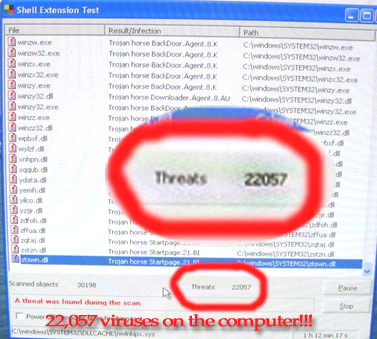
Stop clicking on the same thing that got you infected in the first place!
I don't hesitate to bring this up anymore because it's such a common, dire topic.
Many times, a computer's slowdown problem is solved
by removing Norton and
McAfee products.

 Frequently I find that these programs are installed on machines
that cannot handle the burden
that these programs demand. If you are running
either of these programs, you should have a MINIMUM of 1 GIG of memory. (And don't try to run both at the same time, it negates your antivirus programs altogether!) It is because
they are so
memory intensive in keeping intruders out, (I call it "the great
big octopus with detachable tentacles") that they actually fail because they are
taking up too many resources to do the
job right. Besides my personals experiences, I have a collection of news stories from Yahoo where
Frequently I find that these programs are installed on machines
that cannot handle the burden
that these programs demand. If you are running
either of these programs, you should have a MINIMUM of 1 GIG of memory. (And don't try to run both at the same time, it negates your antivirus programs altogether!) It is because
they are so
memory intensive in keeping intruders out, (I call it "the great
big octopus with detachable tentacles") that they actually fail because they are
taking up too many resources to do the
job right. Besides my personals experiences, I have a collection of news stories from Yahoo where
Symantec has
been revealed not to notify their customers of dire critical updates to their
flawed software, leaving their customers vulnerable.
I have personally seen this happen time and time again. If you think you have this problem, please bring it in for me to fix.
Sadly I must now add AVG to this list of programs to avoid. 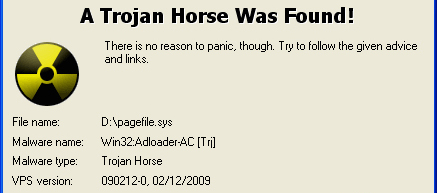 AVG used to be great, but it does not fully protect against one of the most malicious virus / virus variants out there today : AV2008/AV2009/AV2010 and "Personal Security". To be clear and perhaps to be a little more fair,, AV2009 (The warning on the news page about the FAKE antivirus programs) seems to specifically TARGET AVG and disable it first, then infects the computer in many differing areas. I personally tested this specifically to find out how good the virus protection was on a several computers of my own that then became infected due to this program. AVG unfortunately offered either no protection or inadequate protection. I contacted them but their solution to the problem was to refund me my money, so I can't in good conscience offer a program that doesn't work. The picture to the left is just one of the many pieces of av2009 that AVG missed. (found with AVAST!)
Ok, ... done that.
After scanning your computer
with one or more of the above programs, you may still find that your computer
is acting slow, or improperly. With recent viruses (see below)
they cannot be removed while Windows is running because they are running in the background. A more intensive scan is then required to remove them.
ANTIVIRUS 2009, AV2009. 2010, 2011, 2012, 2013, 2014, Hostageware, etc
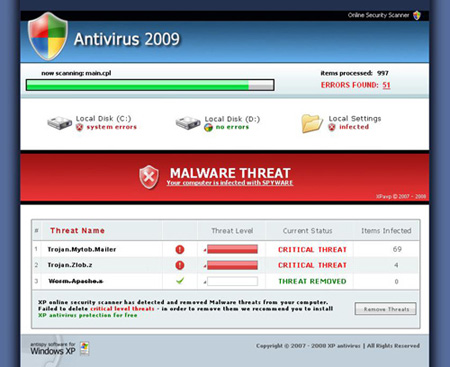 SOME of these newer programs are much more malicious than previous versions. If you get infected with one, UNPLUG or STOP your internet IMMEDIATELY! It is a good idea after all is cleaned up to CHANGE ANY PASSWORD on your computer (email, banking, personal passwords, etc.)
Antivirus 2009/2010/2011/2012, Office Security 2012, Windows Security 2012 (fake names, all of them, designed purposely to fool you!) and many other variants, are rogue anti-spyware programs. They are clones of Antivirus 2008 - also a rogue program,
and one that's produced more clones than any other recently. The list of these clones is long: System Antivirus 2008,
Ultimate Antivirus 2008, Vista Antivirus 2008, XP Antivirus 2008 etc. The newest scheme is designed to hold your computer hostage unless you pay $300 or so to have it "fixed" by their software. NEVER GIVE THEM YOUR CREDIT CARD INFO!
Like any other of it's predecessors, Antivirus2009 uses trojans, such as Zlob or Vundo, to spread.
These trojans lurk primarily (but occur elsewhere too) in porn/warez websites disguised as video codecs, software that will improve your systems speed or fix your registry, etc,
and upon entering the system, floods the user with popups and fake system notifications, supposedly to
inform you of an infection. While the system at hand may indeed be infected, Antivirus 2009 will inform
the user of this regardless of whether it's true or not. The point of this disinformation is to convince the
user they are infected and therefore need an antispyware program to dispose of the threat.
The user might click on one of the popups or notifications,
all of which claim they will take him to a
legitimate security tool, but try to make you purchase Antivirus2009's "licensed version" instead. Antivirus2009 may redirect web browser to antivirus-premium-scan.com, webscannertools.com, googlescanners-360.com, livesecurityinfo.com, antivirusonlivescan.com, bestantivirusscan.com, antivirus-best.com, internetquarantinesite.com, premiumlivescan.com and secureclick1.com -
websites that sell the malware. Most of these websites are not only fraudulent, but they themselves are also malicious. These sites are capable of installing additional malware programs and additional viruses.
Antivirus 2009 and many variant names, is a scam and should be treated as such: NEVER PURCHASE ONE. Only purchase KNOWN, NAMEBRAND, Antivirus programs.
My computer got reinfected after using "X" brand antivirus, even after I paid for it. What's going on?
For this type of scenario, you should contact the tech support that you paid for, not me.
A lot of things can happen, but let me try to narrow down a few reasons how a computer can become reinfected.
Often what happens is the person goes back to the same site and gets reinfected by the same or similar virus, even sometimes disabling the very protection they just purchased.
NO Antivirus program is 100% guaranteed. But you can arm yourself with knowledge to help prevent it happening again.
1: BE CAREFUL WHAT YOU CLICK! - Even the most ardent antivirus program can be circumvented by a careless click on an ad, hyperlink,
or opening a suspicious email.
2: WHEN IN DOUBT, DON'T! - The safest way to not get reinfected, if you know where you got infected, is to not return there. Assume, unless it's a known
popular namebrand site such as Yahoo!, CNN Foxnews, MSNBC, Hotmail, etc etc, that it may not be the best place to hang around.
3: DON'T USE TOOLBARS! - This is actually the number one infection cause on computers, is installing toolbars that then download viruses
OR become vulnerable to viruses on infected webpages. I've seen the horror of so many toolbars that the page could not be seen! You don't need them.
If you feel you need one for ease of use, limit yourself to one known, trusted brand such as Google, Yahoo or MSN.
4: SCAN SCAN SCAN!! - You don't know what's REALLY in that email attachment! Scan it with your antivirus program BEFORE you open it,
even if it appears to be from a close trusted friend!
5: GET RID OF OUTLOOK EXPRESS and Mozilla Thunderbird - I now recommend using an online only email service, such as Hotmail/Outlook.com,
Gmail, Yahoo or other services, which is a much safer way to view email.
6: FIREFOX ADDIN - to be clear, this is one I DO recommend : Adblock Plus for Firefox and Chrome.
It prevents the majority of popups from doing their dirty work on your computer while you're trying to play, read, do business, etc.
NOTE that it may interfere with some banking sites, but it can easily be turned off at the top of the page.
I highly recommend CLOSING your browser and reopening it after ANY
online banking session before continuing your web session!